Chrome extension for bug replay and re-testing

Record. Share. Re-test.

The easiest way to verify bug fixes.

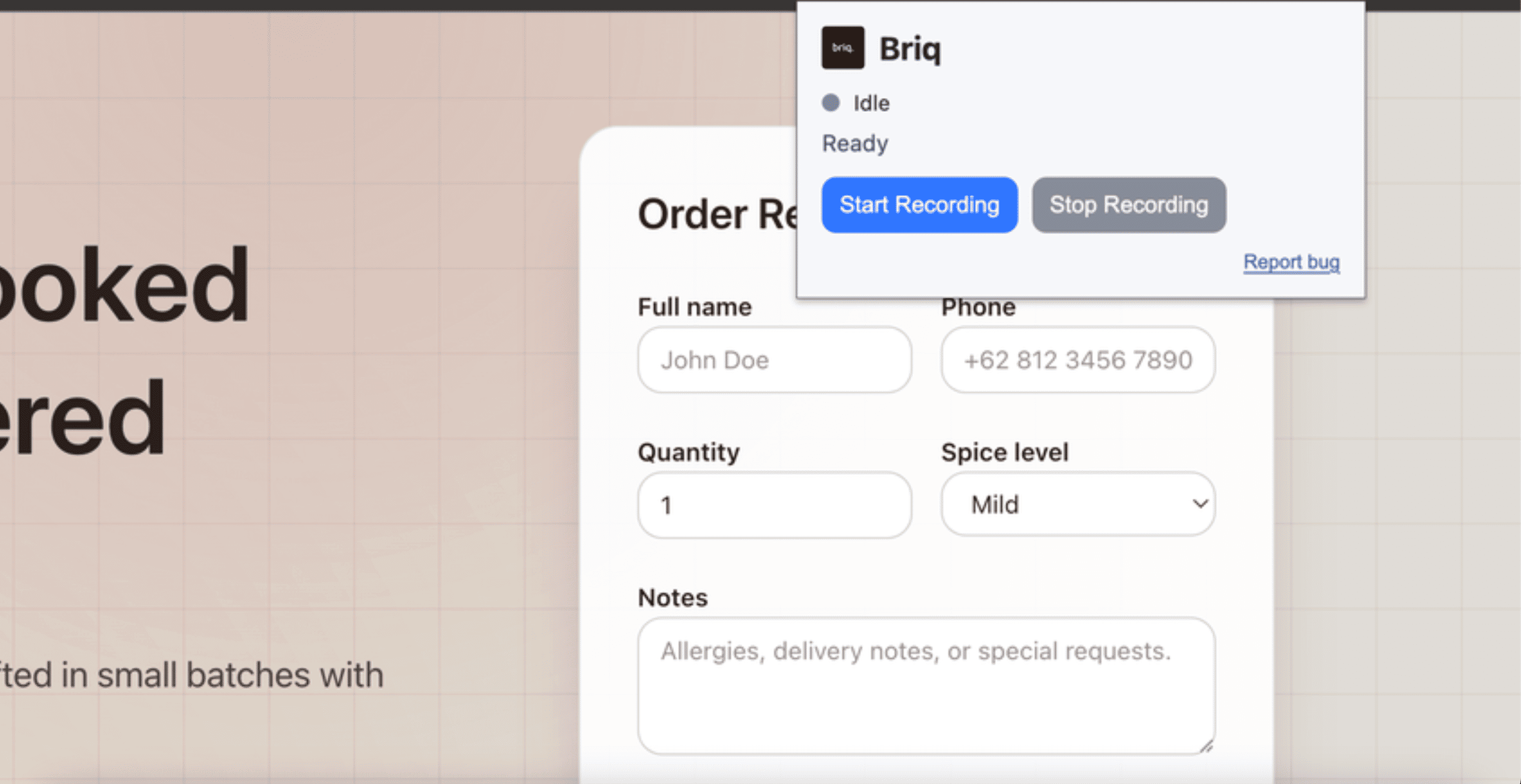
Capture a bug once from the extension - including screen, console logs, network requests, and user actions - then re-run it anytime with one click.

Install the Chrome extension. Record in under a minute.

app.briq.com/r/checkout-bug

Session saved

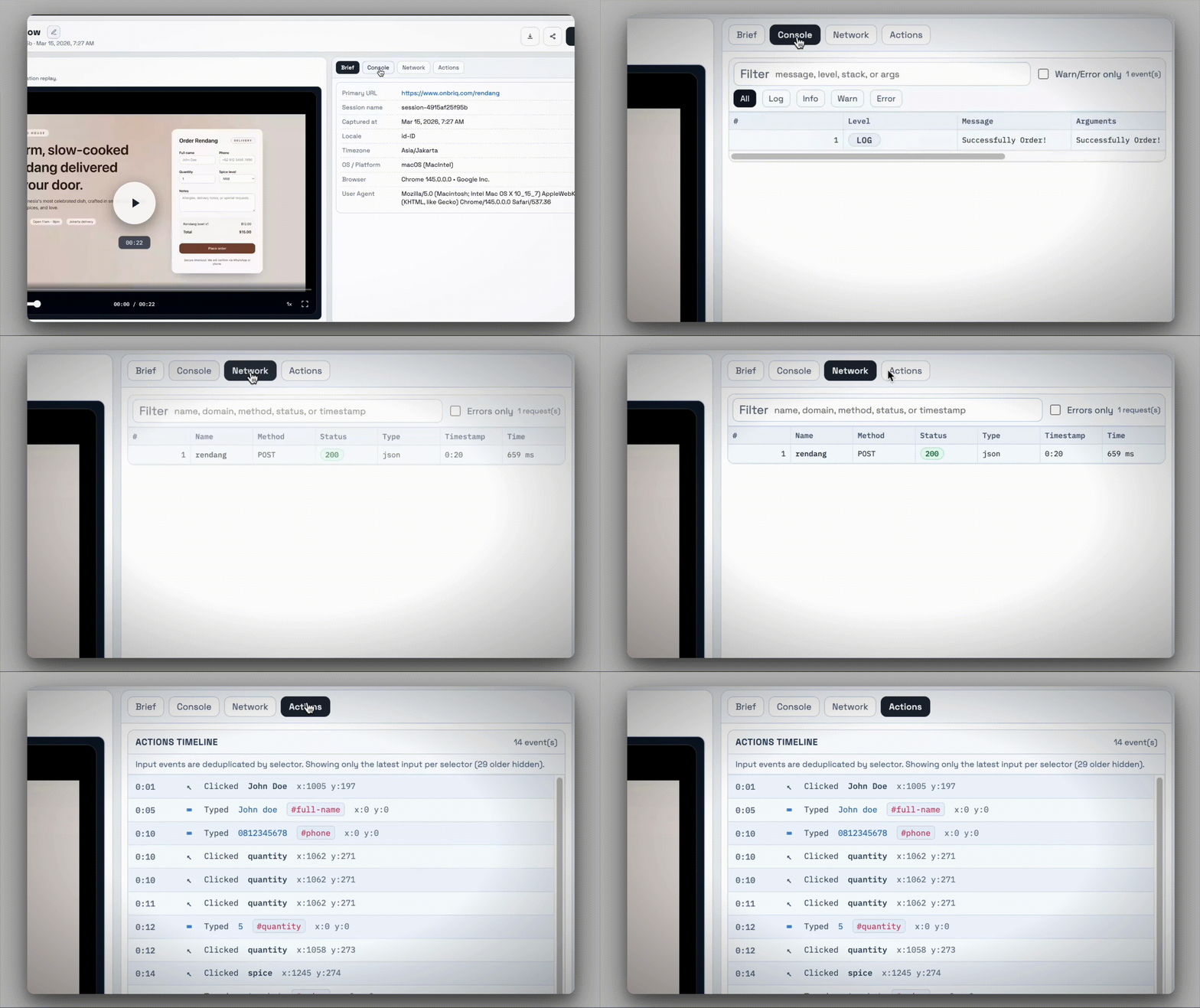
1 tab recording, 54 actions, 12 console logs, 36 network calls

Chrome tab recording
User actions
Console logs
Network requests

Ready to run

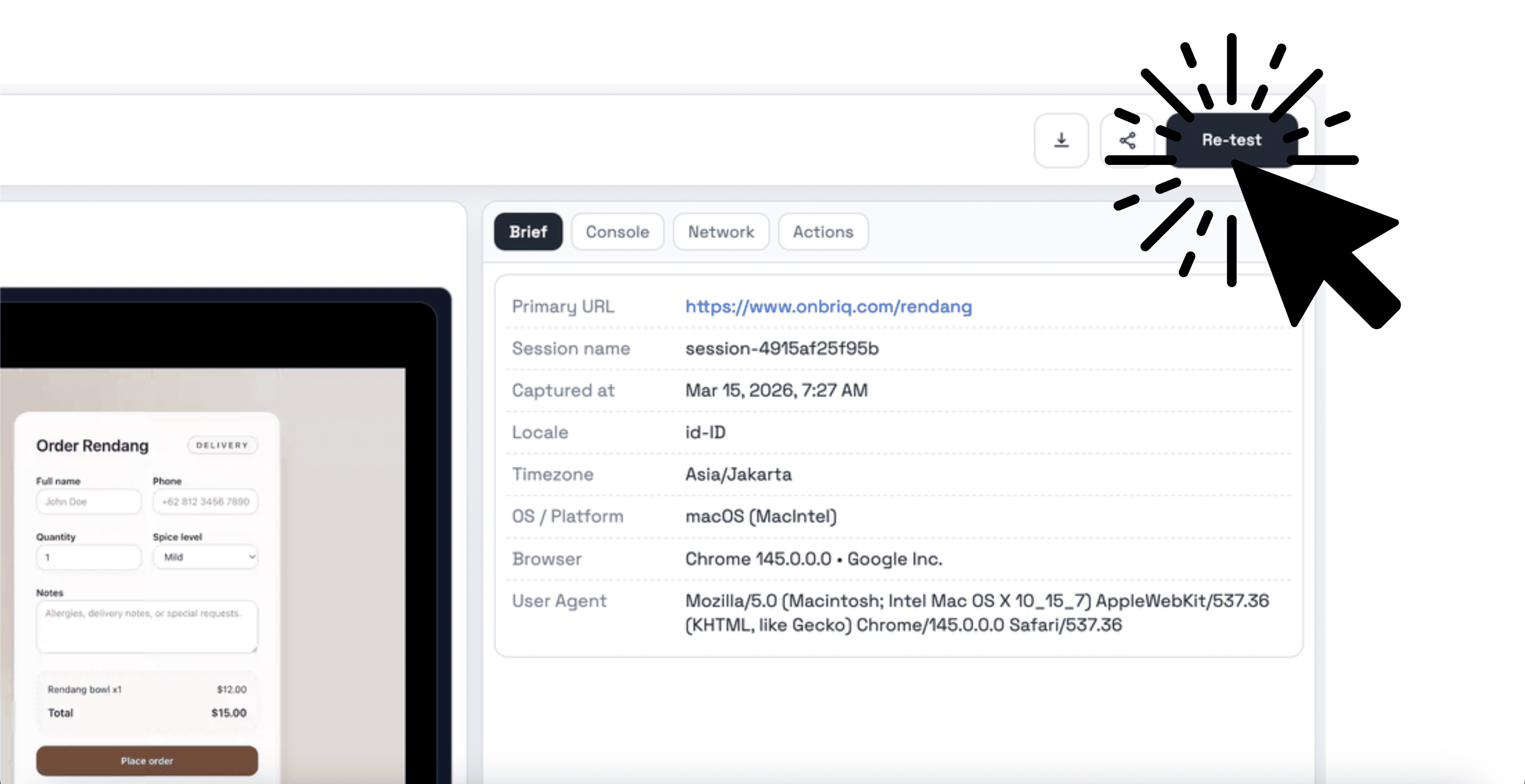
Click re-test after each fix and replay the same user flow instantly.

Manually re-testing fixed bugs is repetitive and slow.

QA finds a bug.

Dev fixes it.

QA clicks through the same steps again.

If the fix takes 3 attempts, that is 3 full re-tests.

It is boring.

It is repetitive.

It eats hours every week.

Manual verification loop

Attempt 1Re-test all steps
Attempt 2Re-test all steps
Attempt 3Re-test all steps
Same bug, same steps, repeated every time.

Record once. Re-test forever.

Instead of repeating manual steps:

  1. 1

    Record the bug with the Briq Chrome extension

  2. 2

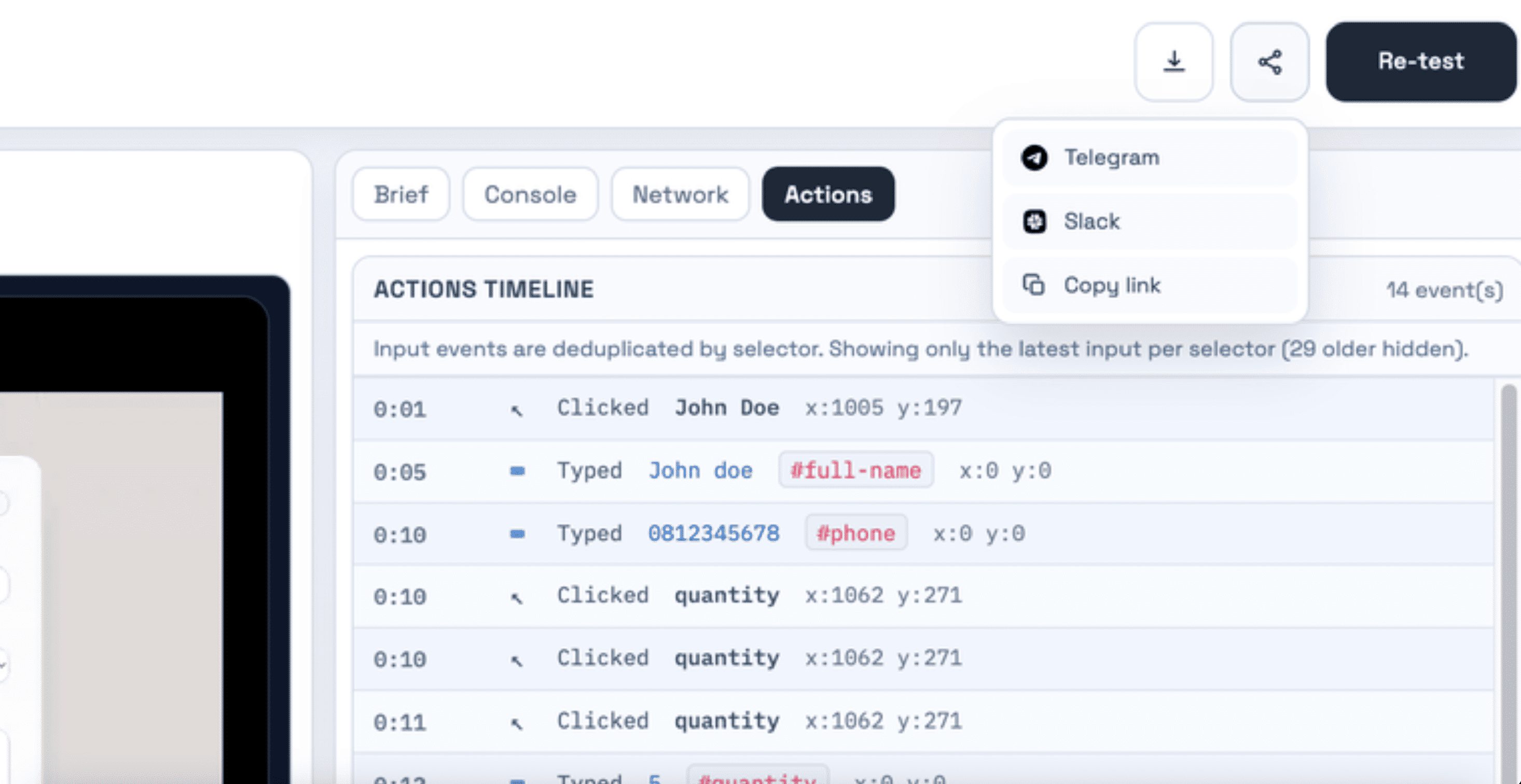
    Share the recording with your team

  3. 3

    Click once to re-test after every fix

No rewriting steps.

No guessing what happened.

No back-and-forth.

Replay timeline

Bug recorded in checkout flow

Chrome extension session, 2m 14s, 54 interactions

Shared to #frontend channel

Developers replay exact steps with full debug context

Re-test ready

Click once after every fix and verify immediately

More than just a screen recording

This is not just a video. In every Chrome extension session it captures:

Chrome tab recording

User actions (clicks, inputs, navigation)

Console logs

Network requests

When you re-test, it actually executes the same actions again - not just plays a video.

Core features

Built for fast bug verification

Chrome Extension Recorder

Capture only the current Chrome tab directly from the extension.

Included in Briq beta

Built-in Debug Context

Console logs and network calls are captured in every extension session.

Included in Briq beta

One-Click Re-Test

After a fix or deploy, hit re-test and verify instantly.

Included in Briq beta

Easy Share

Send a recording to a developer so they can reproduce the issue exactly.

Included in Briq beta

How It Works

  1. Step 1

    Start recording from the Briq Chrome extension

  2. Step 2

    Reproduce the bug

  3. Step 3

    Share

  4. Step 4

    Click re-test anytime

That's it.

No scripting

No automation setup

No framework config

Frequently Asked Questions

Common questions about recording, sharing, and re-testing bug fixes with Briq.

Who It is For

If you manually sanity test after every fix - this is for you.

QA engineers

Startup dev teams

Indie hackers shipping fast

Teams without heavy automation setup

Stop manually re-testing fixed bugs.

Record once. Share anywhere. Re-test anytime.

Get Early Access - Free Beta